


Swizec - A geek with a hat
I write articles with real insight into the career and skills of a modern software engineer. "Raw and honest from the heart!" as one reader described them. Fueled by lessons learned over 20 years of building production code for side-projects, small businesses, and hyper growth startups. Both successful and not.
Subscribe below or keep reading 👇
Software Engineering Lessons from Production
Join Swizec's Newsletter and get insightful emails 💌 on mindsets, tactics, and technical skills for your career. Real lessons from building production software. No bullshit.
"Man, love your simple writing! Yours is the only newsletter I open and only blog that I give a fuck to read & scroll till the end. And wow always take away lessons with me. Inspiring! And very relatable. 👌"
Relentlessly focus on the outcomes
AI makes it easy to focus inwards and feel impressed with all the churn and motion and output you're producing. But your users don't care.
Engineering levels aren't about skill anymore
Traditional engineering levels were about skill progression. I think this has changed. Everyone now is a mini staff engineer.
Just fix their PR
You know what's better than a code review comment? A fix.
"But if AI does it all, what's *my* job?"
On AI, mental load, and delegation
What you need to make an agent
I've been digging into agents for internal tooling and processes. Looking for how to scale without drowning in manual work. Here's what I found
Quick note on evals and putting AI in your resume
When candidates put AI on their resume, the key thing I try to find out is whether they used evals. How did you measure making improvements?
AI now writes 97% of my code. Here's what I learned
Forget the bullshit tips and tricks, just talk to it.
Just Read the Paper
Read more papers. You can learn the latest and greatest in your field in one chill afternoon.
Watch people work
We talk a lot about outcomes over outputs and how engineers are supposed to get us over the water, not blindly build a bridge because someone asked for a bridge. But how do you do that in practice?
Frustration Driven Development
Frustration is your greatest engineering asset. What do you do the 5th time someone asks for the same damn thing yet again?
Software engineer interviews for the age of AI
Maybe AI will replace engineers, I don't know. Self-driving cars were just around the corner for 50 years. Until then we've got shit to do and engineers to hire.
The best engineers just get shit done, sometimes with AI
The best engineers I know never talk about their AI setup. The worst engineers I know only talk about their AI setup.
Taming chaos is a learnable skill
How you approach software engineering makes it harder or easier to handle interruptions and other chaos. Writing a behavioral interview made me realize this is a learnable skill!
Put scope on your resume
Your resume titles don't matter. Just tell me what did you do.
Users buy your service, not your code
You might enjoy this podcast episode. Sylvain and I talked about owning production in a world where AI writes the code.
GeLLMan amnesia
AI will automate every job except the ones I'm deeply familiar with
The 3 curves that make a scalable business
You want users and revenue to grow exponentially. Bugs per day to grow linearly. Support work to grow logarithmically. Your goal is to make this happen.
In praise of the stacked pull request
How fast you do code review is how fast you do everything. Your PR queue is the leading indicator of team velocity. Stacked PRs can help.
How you migrate is everything
Your code becomes legacy software when it works. You build something to solve a problem, then the problem changes. Or best practices evolve. Or you hire team members with more experience. Or the world changes. Or you have more people touching the same code and your beautiful architectural vision didn't translate.
The future of software engineering is SRE
When code gets cheap operational excellence wins. Anyone can build a greenfield demo, but it takes engineering to run a service.
A tough job market is the best time to start something
Here's how to navigate a tough job market from someone dumb enough to have done it before. Me.
Place good startup bets
You can't win every bet. Your goal is to be a little more right than wrong and keep playing
Small projects, clear scope
Minutes of planning save you days of programming. It is shocking how little planning it takes to make a big difference.
A better way to end-to-end test your webapp
End-to-end tests are the best way to test your webapp, but they're flaky and annoying to write. I'm trying a new agentic approach that fixes the issue.
2025 Year in Review
I called it a year in review but it's so much more.
Are you playing games you want to win?
As we enter the funny week-without-time between Christmas and New Year, it's a great time to reflect. Here's a framework I like to use.
How good engineering unlocks fast scaling
You're building systems and tools to help companies grow without drowning in work. This fuels your equity, career capital, and reputation.
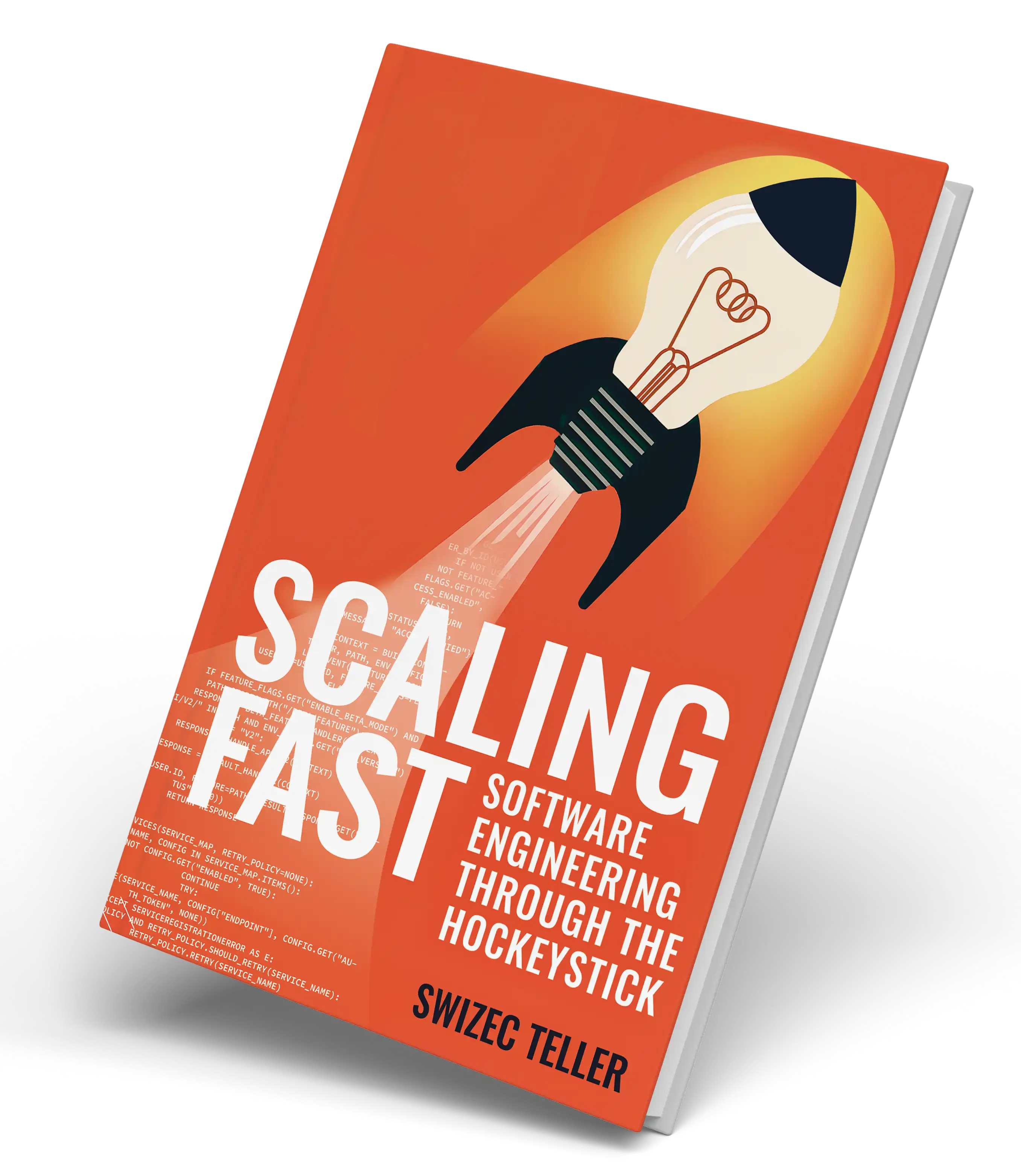
Scaling Fast – my new book on software engineering through the hockeystick
After almost 3 years of writing, research, and editing Scaling Fast is now available in paperback and ebook wherever books are sold 🥳
What makes your resume stand out
What did you do, for whom, did it work
How to lead a project
you were asked to lead or own a project. Now what? Here are a few practical steps to help you succeed.
*People* detangle a ball of mud
Ball of mud is the world's most popular software architecture. The one we all use at work. But it sucks to work with. So what do you do?
AI fills my day with busywork
Remember when AI was gonna take our jobs? I've never felt busier. The more I get done, the more there is to do.
The unreasonable effectiveness of stack ranking
Stakeholders are silly people. Everything feels important and urgent. Stack ranking helps
Chesterton's true lesson
Too many engineers cry chestertons fence and never check why the code exists
The job behind the job [of a high level IC]
Advancing big goals while you stay on top of operational day-to-day fires _is the job_. This is hard. Here are a few tips I've found helpful.
Make sure it works first
Explore the importance of functionality over elegance in Swizec's latest piece. Learn from his experience of tripling an engineering team's size within a year.
Feedback is a strange thing
Performance oscillates around your mean. Your average is what matters.
React, HTMX, and TanStack/Start
More and more UI frameworks are ditching JSON as the transfer protocol and going back to server-rendered markup injected into your app
The grind won't get you there
Don't grind on something the company doesn't value. Hard work is not rewarded. **_Outcomes_** are rewarded.
Most history is fake myth building
Regimes come and go but the people stay. Observations from living through a socialism->capitalism transition
You may be looking for a useSyncExternalStore
When you see a `useEffect` that updates a `useState` and returns a value, you might be looking for a `useSyncExternalStore`. This is my current vendetta.
How to be witty and off-the-cuff as a slow deep thinker
Deep thinking is the super power of wit
Should you join an AI startup right now?
Beyond income there's 2 reasons to take any specific job: Invest in yourself or invest in the company. Both is best.
Leadership lessons from growing 3x in 1 year
So this talk is my attempt to step back and write down some of the things I've learned. Hope you find something to apply in your team.
Pair programming
Great for learning those little tricks of the trade you forgot you even learned
Yes it's like spinning plates
In a fast-growing company software engineering feels like spinning plates. Nothing ever stays fixed.
HTMX – Server Components without React
Let's be honest: Half the APIs you write are for a specific purpose in a specific component on a specific page. Re-usable in theory but you've never tried. That's where Server Components come in ... but what if your server isn't JavaScript?
Quick tips for distributed event-based systems
Hidden lessons painfully learned over the years.
Quick update on Scaling Fast, my next book
Your goal is not to write a book, it's to change how your reader thinks
These 3 alerts catch the most issues
Here's a few alerts I've found unreasonably effective over time
What makes a senior engineer
The base expectation for engineers is that you don't just build whatever you're asked.
A few more thoughts on mentoring
Wanted to share a few more thoughts on my mentoring philosophy and answer questions that readers asked
Cursor background agents in Slack changed my workflow
a couple weeks ago Cursor launched a Slack integration and ... wow. First time I can say AI *changed* my workflow
My mentoring philosophy
Yesterday I had lunch with a newly promoted lead and realized I have opinions on mentoring engineers. Here they are.
TechLeadConf 2025 in September
Dive into rapid tech team growth at TechLeadConf 2025, featuring lessons from Swizec's experience with Plasmidsaurus's explosive expansion. Explore tech debt, AI, and leadership insights from industry experts.
It's like surfing
The weird thing about engineering management is that you feel kinda useless. Yet if you stop, projects stop.
Why utils are bad, an example
Last week we ran into the perfect example of how utils-based code will smack you over the face at the worst moment. So much time wasted
Why AI won't replace you
Complexity.
3 sticky insights from 3 eng management books
Ever feel like your brain is blended and you can't even keep up with the things you're learning? Me too. But the good shit stays.
Software architecture IS Conway's Law
Can you even have architecture before there's a team?
You're a business
Quick thought from a conversation with friends
Common abstraction traps
Here's a few common abstraction traps that suck you in, look like they improve your code, then turn into bad ideas as your system grows.
DRY – a common source of bad abstractions
The worst and hardest to maintain code that I've seen or written has been in pursuit of DRY
Why websites and webapps are different
The website vs webapp debate is at least as old as my career. And it keeps coming up. One camp says "React is too complex you don't need any of that", the other camp goes "I don't understand how you live like this". Both are right.
Stateless decision making
Do you ever feel like your brain is full and there's so much going on you can barely keep up? Me too.
Your interview is a sales call
I've been doing hiring manager screens lately. Here's a few tips.
How do you find time for cleanup work
A reader asks how do you find time for technical cleanup work. If OKRs and bugs take priority, when will you make improvements?
Say no to abstract code
The trick, then, is to keep related code close together to reduce context boundaries and to limit the amount of relevant detail so it fits in your working memory.
re: The Industrialization of IT
I guess if AI is what it takes to finally get people to care about architecture and team structure then mission accomplished?
What to work on next?
Younger engineers keep asking how I prioritize in a chaotic environment. Here's my approach.
Always deploy at peak traffic
A hard-won lesson for ya: Always deploy when you've got lots of traffic.
10 years in America
10 years ago yesterday I moved to America with 1.5 suitcases, ~2k in the bank, a place to crash, and a freelancing client lined up. A few thoughts.
The difference between a product and a project
A project is something you do, a product is something you own.
Sprint vs Shape Up vs Kanban
Whenever I talk about sprints, someone mentions Shape Up. So you have 9 week sprints – what's the difference?
Why sprints
For the past few months I've been introducing sprints into a chaotic startup that's been growing so fast everyone's got whiplash. Since August, 5 engineers turned into 12. I think it's starting to work.
What I mean by "tests can be slop"
Tests may look like slop, but make them clear, not clever. Best practices are key: Test outcomes, not code. Name with intent. Keep tests independent. More straightforward tests beat fewer abstract ones.
AI writes good tests, actually
I've been using AI to write tests and it works surprisingly well! Here's how.
Principles of high output engineering teams
A few engineering principles I aim to instill in every team I join. Lead or not.
Talk to more users sooner
Debate less, ship more.
What I learned from Inspired
Products not projects. Outcomes not features. Iterate.
Depth takes time
It takes about 3 years to experience the consequences of your own decisions.
Code yourself out of the job
Let go of your legos and let others do the work.
I was wrong about databases
The best part about writing is that you get to learn new and exciting ways you were wrong. Databases are smarter than I thought!
*Why* the relational data model is so good
You've heard that array or list columns in a database are bad. But why? Yesterday it clicked for me
A pattern for composable UI in Flask
Turn your unwieldy Flask codebase into manageable, composable fragments with this UI pattern. Very close to HTMX.
How *do* you break down a large project? INVEST
Going from Big Vision to Series of Executable Steps is a key skill for senior+ engineers. PMs can help but they don't know everything.
How do you prioritize?
How do you choose what to work on first? As an empowered engineer that's a key skill.
Server-side React that renders as png, pdf, or interactive webapp
What if your React code could render as a PNG, PDF, static HTML, or fully interactive webapp just by changing the URL? I got a working demo! 😁
Build the abstraction first
Hardcoding logic when you're tight on time doesn't need to make a mess. You can build the abstraction first!
What I learned from Accelerate
Accelerate is the empirical research behind books such as The Phoenix/Unicorn Project and (parts of) Software Engineering at Google. I loved it.
Why you need a task queue
Task queues have been on my mind lately so here's a little primer on what they are, how they work, and why you need them when your project starts to grow.
Coaching AI to write your code
Working with AI is here and it's skill. Just like google-fu became important in the mid 2000's. A few things I've learned.
The score takes care of itself
Less talking more doing
Looking for beta readers
Wanna read my hardest engineering lessons learned? You're in luck!
Your next mountain, pt2
3+1 quick book recommendations to help you think about next year
What's your next mountain?
Life is a hill-climbing algorithm
Why system design is my favorite interview
Without reading their resume, you'll see if a candidate is fresh or has been doing this a while. And you'll know their blind spots and their strengths
Atoms, molecules, organisms
Here it is: 20+ years of programming experience distilled into 378 words. From the book I'm writing.
Smart core, thin interfaces
Here's an approach to writing code that I've been using for years and couldn't quite put into words until now. One of those _"This feels wrong but I can't explain why"_. Now I can!
Why learning and teaching the good stuff is hard
You can't learn to ride a bike from reading a book.
Empirical evidence for code modularity
Few of your engineering decisions matter long-term. Software is soft. You can change your mind. But how you structure your components is here to stay.
Why even care about code structure
As long as it works, right?
The anatomy of a React Island
A coworker asked how React Islands work and I realized it's a technique I've been using to modernize monolithic web codebases for years, but never wrote down how it works.
Finding modules in a big ball of mud
Pulling modules out of a big ball of mud is like grabbing a slice of cheesy pizza. It's kinda separate but also not really.
Why you need observability more than tests
Here's a short and sweet story about a Friday deploy. I love Friday deploys.
The swarm doc
Here's a doc I like to use to structure the pre-work design chat that makes later code review a breeze.
Big Ball of Mud – the world's most popular software architecture
Forget Gang of Four, here are the 7 architectural patterns real programmers use:
Why software only moves forward
At scale there are no rollbacks and no cut-overs. Your software only moves forward.
Don't judge tech just because you're old
Your favorite way of doing things may just be an expression of tech limitations at the time
"Yes caviar is great, here's a ham sandwich"
Why do some projects ship and others seem to drag on forever? You need 3 people to get this right.
Yes, AI will "take" your job. No, you won't mind
Is the job to get things done or to memorize trivia and solve cute coding puzzles?
It made me $500k but I think content is a bad business
Why I didn't become a full-time creator/educator
Make mistakes easy to fix
You can't prevent bugs. You'll burn out. Instead focus on making them quick to fix.
The Laws of Software Evolution
Manny Lehman was one of the first to notice that software is never done. It just continues to evolve forever.
The Series A inflection point
The Series A inflection point is the most fun time in a startup, if you ask me. Here's what it looks like
You can side-step a yak, they don't all need to be shaved
When yaks aren't procrastination, they might be tunnel vision. You're so focused on the right solution, you miss the good enough solution
Better is good
A small improvement that lands is better than a large improvement stuck in review
How big up-front design fails
A long design phase without shipping kills many software projects. Here's a story from production I haven't shared before.
The Tour of Duty approach to career
Quick note today to plant the seed of an idea I've always loved: The Tour of Duty.
Why software projects fail
5 common themes
What helps you ship confidently?
Been thinking about what needs to be in place for engineers to ship with confidence
Interviewing tips for experienced engineers
The way you interview changes as you go through your career. If you're grinding leetcode 10 years in, something's wrong.
Let small fires burn
You can't fix everything. Focus on the next big thing and let the small fires burn.
Tips from 8 months of TanStack/Router in production
On my last day at Tia I wrote a master vision doc for our TanStack Router app. Here are the parts I can share.
Some personal news
When you see a unicorn, you gotta hop on
Small change in big scary codebase?
Making small changes in large unfamiliar codebases is the job. That's what engineers do all day.
Why SQL is Forever followup
Yes SQL is super flexible. That is its strenght and its weakness
Why SQL is Forever
Never underestimate the power of good marketing for bad products. NoSQL was fun but SQL is here to stay.
90% of performance is data access patterns
Removing a single line of code slashed database CPU usage by 66% 🤘
DRY – the common source of bad abstractions
Swizec reveals the hidden pitfalls of overusing the DRY principle in coding, leading to bad abstractions. Discover how to write adaptable, efficient code that avoids these common traps.
Scaling Fast, my talk on lessons from tech startups
This talk from C3Fest summarizes the key lessons I've learned in the past ~15 years of working in tech startups. It's a high level overview of a new book I'm writing (60% done).
You can't side-quest a product
Here's a trap that talented engineers fall into all the time. It creates frustration, burnout, and the genre of tweets that read like "Why don't people care about the amazing work I'm doing".
6 books engineers should read
Here are 6 books I'd buy every engineer who joins my team, if I ran a team. You might like 'em too.
The dangers of spurious automation and how to automate anything
Discover the potential pitfalls of spurious automation and learn a foolproof three-step process to automate any task effectively. Don't miss out on understanding when automation is truly beneficial and when it can become a hindrance.
It’s okay to just do the work
Not everything needs to work forever. Start by solving the problem
Using AI to spark connections at a conference
We built an AI algorithm to help you find interesting people to talk to at a conference. And make sure it's not awkward
Notes for my Scaling Fast talk next week
Decided to publish my notes because they look pretty useful on their own. Although I hope my stage presence adds a little something something. Enjoy :)
How to use feature flags
All the hard lessons learned using feature flags in production. Skips the why and gets to the how.
Why useSuspenseQuery works
A reader asked 'Wtf why does this work?'
Cleaner components with useSuspenseQuery
Sick of complex states in your code? React Suspense can simplify your components for more readable, robust code!
Why you shouldn't use AI to write your tests
If you derive tests from your implementation, you can't apply the Beyonce rule. What if the code is wrong and that wasn't the programmer's intent? We'll never know. The bug now exists in both places.
Validate your assumptions early
here's war story from last summer. I've talked about it in workshops but haven't written it down before. It's for a book I'm working on.
A better roadmap solves many issues
Many engineering challenges start with your roadmap
Get us over the water, not build us a bridge
effective engineering teams should work *with* their product owner/manager, not *for* them
Outputs are not outcomes
Doing the work is not the same as getting things done
Coordinating at the end is too late
When working: sync first *then* async
43 years of the actor model
The actor model is now part of everyday tooling and ensures concurrency safety. Understanding the principles behind it helps you write less buggy code.
From trivial to complex – 4 software quadrants
You can classify software projects into 4 quadrants from trivial to complex
Coding is a brawl, not a battle of wits
Discover why coding is more like a boxing match, focused on delivering results rather than perfect technique. Learn how to navigate economic upheaval and prioritize business needs in this unexpected comparison.
Approve with comment
A shift in your code review process can boost your team's productivity. Empower authors to make the call.
The best engineering books get good 5 years into your career
The best engineering books aren't those you read at the start of your career. It's the ones you appreciate 5 years in.
Architecture is like a path in the woods
You're doing too much. Sit back, relax, see how people *want* to use the code. THEN build the abstraction.
How to start playing with generative AI
Generative AI is entering the early adopters phase of Moore's technology cycle. Lots of people have been asking me for the quickest and cheapest way to get started.
Code yourself out of the job
Don't get stuck being a critical member of the team.
The answer to 5 soloists in a trench coat
Team dysfunction where everyone's a soloist? Try this fix: Force the team to work on ONE story at a time.
5 soloists in a trench coat
Ever felt like your software team is just soloists in a trench coat? You may be right!
The market always wins
No amount of growth hacking, investor money, or a/b testing will save you, if people don't want what you have.
Why you need a regular retro
Agile is something you are, not something you do.
Your resumé has a job
Is your resume a tech bingo card? Not great.
5 tips for effective standups
Talk about today, not yesterday
Can I get your opinion
Books start with a detailed outline that's easy to change. That's when they're easy to change and where you can help.
Onboarding to a new team
People are starting to cheat in interviews using ChatGPT. It's obvious, doesn't work, and wouldn't even be cheating if you did it right!
What interviewers look for in senior engineers
People are starting to cheat in interviews using ChatGPT. It's obvious, doesn't work, and wouldn't even be cheating if you did it right!
What being an expert looks like
The blue sweater scene in 'Devil Wears Prada' is a masterclass in expertise
When to stay at a company
Cap your down-side and think like an investor. Look for key metrics that can shape your career growth.
Ask me a question
Swizec is writing "Scaling Fast", a book about his journey in a 20x hyper-growth startup. Questions?
Be action oriented
Unearth the surprising connection between the CIA's Simple Sabotage Manual and your productivity, and learn how to transform tiny actions into big wins. Dive into Swizec's engaging exploration of how small actions can make a huge impact on your progress.
The Buxton Index – why some are hard to work with
The Buxton Index measures an entity's planning period and explains many of your work dynamics.
TanStack Router – modern React for the rest of us
TanStack Router puts the router in control of data, state, and UI and it's ... really good.
How I Added a Related Articles Feature on Swizec.com Using GPT-4 Embeddings
Making 15 years of blog archives easier to navigate with AI and cosine similarity to build a related articles featur
I'm a different engineer than I was 3 years ago
A reflection on engineering through The Hockeystick
The 3 budgets
Software engineering salaries come from one of 3 budgets. Which budget pays your salary shapes your day-to-day and influences your career trajectory
People like me are why you shouldn't run a hosting company
A daring adventure of manipulating GET parameters in a NextJS 14 project, pushing hosting limits and avoiding the need for data storage. Dive into the chaos of compressing inputs to keep the project delightfully storage-free.
Forget Bad Code, Focus on the System – React Summit talk
Wanna see me ride a flamingo wearing a cowboy hat? You're in luck! That was my outfit for a deeply technical talk to 700+ people at React Summit US 2023 🤘
What I learned from Do Hard Things
Do Hard Things is a recent book from an author of my favorite book about burnout (Peak Performance). It talks about why our traditional view of toughness is wrong.
Keeping a high engineering culture, tips from the field
I asked engineers how they keep a high quality culture. These are the takeaways
Askers vs. Guessers
Askers vs Guessers: the culture clash that explains half the conflicts you've ever had
Let juniors speak first
Want an engaged engineering team? Let juniors speak first.
Hard work doesn’t scale
Overtraining won't always get you to the finish line faster. Growth comes in cycles - rest, push hard, recover. Less can be more when it comes to achieving your goals
The efficacy of TypeScript
TypeScript may streamline code navigation and catch semantic errors, but it doesn't guarantee fewer bugs or faster fixes.
What to put on your resumé
Position yourself as an expert and stand out in the job market
Don't neglect your upgrades
Regular software updates may seem tedious, but they save you from the nightmare of a massive overhaul down the line.
How to go from Senior to Lead
Transitioning from Senior to Lead Engineer isn't just about technical prowess, but strategic thinking, soft skills, and going beyond your role. And remember, strong individual contributions matter!
I tried generative AI on lots of data and we're not quite there yet
Lessons learned from running GPT-4 on lots of data using the same task.
TypeScript runtime vs types at run-time
Understanding the nuances of TypeScript: it adds static types to JavaScript, reducing bugs by checking code validity pre-run. But imagine if we had types at run-time too - validating inputs, enhancing error messages. A dream, but a nice one.
Halfway there
Realizing I'm statistically halfway through life at 36. Time is the one thing you can't get more of
Bun – first impressions
I've been using Bun in a few side-projects and I like it a lot
When's the last time you tried something new?
Dive into this engaging exploration of hands-on learning from pottery to programming. Discover how embracing new experiences can enhance personal growth and improve your coding skills.
AI Engineer Summit report
AI is the easy part of the equation. The real game changers in #AIEngineering are mastering data engineering, handling non-deterministic outputs, and nailing product development.
A few thoughts on tRPC
Discover tRPC's potential in building end-to-end type safe RPC APIs in this insightful blog post. Perfect for developers seeking innovative solutions for server-client separation in webapp development.
Solve the problem, not a different more difficult problem
Solve the problem at hand, not the one you imagine might come next. A simple fix now often beats a complex one later.
Ways to ask but why
Better ways to handle situations where the code makes you go O.o
2274 miles in 9 days on a cafe racer
These pics are epic and you should see them
Trust your wings, not the market
Success in your career doesn't come from relying on the market or job stability. It comes from trusting your own wings - having a clear vision, treating work as a value exchange, leveraging your skills, and owning your path
Move the rock
it's about noticing the rocks that could trip others and taking the initiative to move them
Similarity search with pgvector and Supabase
Explore the power of pgvector and Supabase for efficient similarity search in this comprehensive guide. Keep vector data next to your business data for efficient queries and less overhead.
Why write
Regular writing is a secret superpower! Sharpens your thoughts, boosts your career, and helps you become an authority in your field. Don't pretend to be an expert, just share your experiences. Your insights are gold
Avoid spooky action at a distance
Shared state in programming isn't the enemy, it's unclear dependencies that tangle your code. Keep it clean with explicit state dependencies and strict access guidelines
More on how many years to senior
Lots of readers wrote in with questions and comments about How many years to senior engineer?. Here's some additional thoughts.
How many years to senior engineer?
Becoming a senior engineer isn't about clocking years, but about depth and breadth of experience. Work in diverse teams, stick with a codebase for 3+ years, and take on projects with real stakes.
Life is Poker
Certainty is an illusion, only probabilities are real
Finding modules in a Big Ball of Mud with ChatGPT
Detangling a Big Ball of Mud is hard. You have to find domain boundaries where none exist. Looks like AI can help 🤩
Followup answers to Forget complicated code, focus on the system
Why are utility files bad? How do you recognize architectural complexity? What the hell is a transitive dependency?
Forget complicated code, focus on the system
Clean code matters, but it's the architectural complexity that truly impacts your productivity and bug count. Focus on simplifying the system, not just the code.
Programming in Markdown
What if you could focus on the fun _engineering_ part of your job, not on coding? You can!
The Wally Reflector
Unleash the power of 'The Wally Reflector' to manage the influx of 'quick requests' and empower your team.
What I learned from Team Topologies
You can't escape Conway's Law. Might as well use it for good.
Working with product
A strong partnership with product is key to an enjoyable engineering life
Different worlds
Different lenses, different worlds. Your perspective is shaped by your experiences. Even in debates, all sides can be right in their own context.
You can't stop the business, or why rewrites fail
Rewriting code isn't a magic fix-all. Consider the opportunity cost, complexity of the old system, and estimation challenges. Instead of stopping all to rewrite or building new while maintaining the old, try incremental improvements and new code adoption.
Update state during render, better explained
A few readers wrote in to say that the React Can Update State During Render email last week made no sense. Here's a better explanation.
React can update state during render
An unexpected feature of React: updating state during render. It's a UX and performance optimization
Clarification on how ownership makes careers
Aa few readers wrote in with questions and objections to last week's Ownership makes careers email. Here's a few clarifications.
Ownership makes careers
Own shit. At least put your name on things. Yes, before it's successful.
When to throw away your code
Delete code when it stops providing value 💡 All code is a liability; context matters. Keep what solves problems, toss the rest.
JavaScript games and Wonderful tools
Discover the magic of HTML5 game development with Game Dev JS Weekly and level up your productivity by eliminating daily frictions with Wonder Tools
What does "solve problems" even mean
Focus on solving problems, not just doing work or writing code. Think creatively, question existing processes, and prioritize effective outcomes
Why taming architectural complexity is paramount
Unravel the hidden costs of architectural complexity in software engineering and learn practical strategies to tackle it. Boost productivity, reduce defects, and improve staff retention with insights from an MIT PhD thesis.
Effective standups
The secret to effective standups that don't suck
How one sentence guides your career
Unlock the secret to guiding your career with a powerful positioning statement. Learn to stand out in the job market and attract opportunities that align with your expertise and values.
What you can expect from the Senior Mindset Retreat
Unlock your true potential at the Senior Mindset Retreat! 🚀 Develop crucial soft skills for career growth and become the leader the tech world needs. It's not just about coding, it's about teamwork, ownership, and making an impact.
Two types of complexity and their impact
Complicated code slows down junior devs, while complex systems impact senior devs more. Focus on managing system complexity & dependencies, not just simplifying code.
Why a tech meltdown is the best time to invest in your career
Invest in your career growth. Seize the moment to develop new skills and prepare for a brighter future
How positioning makes you stand out from the crowd
Stand out in the job market with a strong positioning statement! Focus on the value you bring to organizations, not just tech skills. Be specific about what you do, for whom, and how.
How I turned 15 years of writing into a chatbot
What do you do with 15 years of your writing history when LLMs hit the scene? A chatbot!
Your manager can be a peer
This collaborative approach enhances both people and technical aspects of a team, leading to a more efficient work environment.
You can't fix the wrong abstraction
Unlock the secrets to combating architectural complexity in software development and learn to identify and fix the wrong abstraction. Boost productivity, reduce bugs, and retain more staff.
Eight things to know about LLMs
eightthings.pdf is the best paper I've read on what's going on in AI right now and why everyone is excited. Here's my summary.
Hug your manager
Behind every thriving team is a dedicated manager who shields them from corporate chaos, sacrificing their own well-being for the team's success.
A backend service nobody can grok
a little case study from an upcoming book I'm writing with Manning about software rewrites
Own the outcome, not the work
Efficient problem-solving in engineering with a shift in perspective – focusing on user outcomes can lead to innovative solutions and change your approach to system design.
Your background won't get you the job
Skills and experience matter more than prestigious schools and employers.
Insights for interviews from Kahneman's Noise
everything people say is bad about modern tech interviews is actually good 🤯
DRY vs SoC, a difficult choice
What is the essential difference between DRY and SoC principles in software engineering and how do you balance the two
I went to "AI Woodstock" and wow
"AI Woodstock" was a HuggingFace meetup showcasing groundbreaking AI projects and innovations. Here are some of my favs.
Software engineers, exercise, health, and productivity
Don't worry about the hype, just get some sun, some rest, and remember to hydrate.
The programming tutorial SEO industry is dead
20 years ago greybeards laughed at us for Googling. Now they laugh when we ask ChatGPT. But the leverage is 🚀
Coding is the easy part
Behind the scenes of a vendor migration project. What senior+ engineers do so you can focus on the code.
Are you annoyed by the extra space after your name [name|]?
Behind the scenes of a tiny bug that survive 919 days
Done means Shipped
Don't overthink, just ship
Build semantic search in an afternoon? Yep 🤯
Learn how to build a powerful semantic search engine in just 2 hours with the OpenAI API.
"If you're so good, why aren't you making 600k at BigTech?"
Swiz shares why he's not making the big bucks at a tech giant, from the soul-crushing grind of corporate to the funny money of tech compensation.
Clever technical hackery can't solve the wrong design
A simple change in perspective can help you overcome complex technical challenges and save time on future projects.
Own your career like an expert
You can achieve more with your career by leveraging your experience, advice, and ability to clear blockers, rather than just working hard. This approach of "force multiplying" your team can create more value than working alone
The backend iceberg
It takes an entire ecosystem to power the backend of a software system! Complex networks of processes, data storage, analytics, and more are often underestimated when looking at a software system from the frontend
Building browser extensions with NextJS
NextJS can be used to build browser extensions. This is a novel way of building extensions that allows developers to use familiar tools and technologies. Here's how
Why take a bigger role for no bump in pay
Luck is a function of the work you do and how many people know about it? Expand your visibility, take on impactful work, and increase your luck and career capital
My biggest React App performance boost was a backend change
Performance lives in the unlikliest of places. Follow the metrics.
Squash merge? Really!?
Learn why squash merging is your friend - from hating it to loving it! Squash merging helps you keep moving and focus on the work instead of recording the work.
Why trunk-based development is best
Merging finished work straight to main and deploying to production right away, scales to teams of thousands. This approach is counterintuitive to many engineers who may be used to working on their own
Start coding at the point of least certainty
Start coding at the point of least certainty: Learn how to approach projects when there is uncertainty and risk, and why it's beneficial to start with the hardest part first, instead of building a foundation and working up from there. This concept is illustrated through the analogy of training a monkey to jump through a hoop.
Reader question: How to grow 10+ years into your career?
For those wanting to stay hands-on, we recommend solving bigger better challenges with higher stakes and new problems.
Async React with NextJS 13
We look at React's native async support and how to use it in a NextJS 13 app. Learn how to use async components, parallel loading states, and caching with React.js and NextJS 13.
In case of layoffs
Advice on how to prepare for potential layoffs, how to support friends and colleagues who have been laid off, and how to find a new job after being laid off.
Building apps with OpenAI and ChatGPT
Generative AI has made big strides in recent years. Diffusion models make decent art and modern large language models can out-write even the best college student on a deadline. Over the holidays I tried it out by building an app.
2022 year in review
The days are long, but the weeks are short. In the wash of our daily grind, you lose sight of what a year can bring. Or a decade! I like to take a moment around the new year to reflect and make plans
Skin in the game
My engineering manager likes to say that he can give advice and warn us before a big mistake, but he can't tell us what to do. He doesn't live with the consequences.
Getting off twitter, an experiment
ole Musky bought Twitter and the tech community threw a collective shitfit. The atmosphere of ragequitting, hand wringing, and aloof defiance gave me time to reflect: Why am *I* here?
Scaling teams is a technical challenge
A founder friend asked me about growing pains on his team. How do you avoid stepping on each other's toes?
Can you stay a senior engineer forever?
Here's an idea that can take the pressure off your career: Yes, you can stay a senior software engineer forever. But how?
Stable Diffusion on an iPad 🤯
When's the last time a piece of tech blew your mind? I tried stable diffusion on my new ipad and wow
What I learned from Staff Engineer by Will Larson
Staff Engineer was one of the more impactful books I've read in recent months. Went through the audiobook soon after becoming tech lead so the timing was perfect.
Reader question: useReducer or XState?
Following up from my article about XState and Stately.ai, fellow reader S. asked if `useReducer` could ever be relevant when using state machines in React code. Yes! Here's how
When your brain is breaking, try Stately.ai
Two years ago I wrote about using XState after building a UI interaction so twisted my brain leaked out my ears. It helped. Now the creators have made something even better – Stately.ai 😍
On becoming tech lead
A few weeks ago I made tech lead, a type of staff engineer. Here are my thoughts on what that means, how it happened, and why you'd want such a thing.
Why PATCH endpoints matter
A painful lesson from production that brought several engineers almost to tears: *Please* add PATCH endpoints to your public APIs.
Over-engineering tweet embeds with web components for fun and privacy
A way to embed tweets in static sites with full pre-renders and live updates using just 9kB of client-side JavaScript, 2 HTTP requests, and full reader privacy ✌️
Reader question: Work at a big international or a local studio?
Fellow reader Frank writes in with a question about career moves and I thought my answer could help you too
Grow your career ... in this economy??
if you've been following tech news lately, things feel ... 😖 Between the layoffs, hiring freezes, investors suddenly caring about revenue, and whatever the heck stock markets are doing, we're in for a rough time. BUT!
How better data modeling fixes your code
When your code feels hard, 9 times out of 10, the problem is with your data model. The signs are subtle.
Reader question: Should you learn the latest hotness?
Great question. Common concern. *What if I get stuck in a technology that isn't hot??* Or worse, burn out re-learning every new thing 😱
Notes on A Relational Model of Data for Large Shared Data Banks
In 1970 a paper came out that changed the world of business computing. It laid the ground work for modern databases.
useCallback is a code smell
One of my favorite ways to simplify and de-gotcha React code is to rip out all the useCallback and useMemo drama. 90% of the time you don't need it.
The art of the cowboy merge 🤠
how do you catch a critical deadline that cannot be missed? We're talking external stakeholders, millions on the line, and it all hinges on *your* team getting it done on time. No overtime
If it works together, it lives together
Wherein I use LEGO to talk about organizing your code for ease of use
Why others' code is hard to navigate
Some people like to organize code in files and folders and neat categories. Others love search. When they work together, that's the challenge.
Reader Question: What do collaborative teams look like?
New members on our team invariably say 2 things: 1. Wow I've never seen a team move this fast 2. This approach feels weird. I'm uncomfortable Teams like this are not common.
What makes a real image?
What does a real image look like? The rise of modern AI photo editing and generation tools makes this an interesting question.
Your code doesn't matter
"Your code doesn't matter" is something experienced programmers say, between the lines, when they sound like complete lunatics. But what do they mean? Why does everyone say it?
What coding tutorials and teachers get wrong
Chatting about teaching and learning complex technical skills with an engineer I'm mentoring. She's a former chef. We shared the same frustration with online resources.
I stopped using Google Analytics after 15 years
swizec.com has been around since 2005. For 15 of those years, it's been running Google Analytics to give me a sense of "Is anyone out there?". No more.
Reader question: So about that perfect burndown chart ...
If your approach works so well, why isn't every team doing this?
Move your business logic into data
The quickest way to simplify a complex function with lots of logic is to turn it into data. A lesson from production
Nobody is coming to save you
How do you react when you don't like The Process at work? Most programmers complain on social media, make a wry joke, and ... suffer. Not great
You do have time to build it twice
My talk from React Summit is now online, if you're curious. It's about code rewrites in the context of hyper growth startups. The ultimate sin. Or is it 🤔
Reader question: Feeling guilt as a tech lead
Keep getting the guilt, that I'm not able to code, just running around for discussions and solving other issues, managing people. Any idea to manage all the fronts and get rid of this guilt?
You don't *have to* build it sloppy to go fast
My favorite mistake to make when I'm in a hurry is to think that I _have to_ build new features the sloppiest way possible. Find the quick fix and move on. But that's not true.
A work ritual that keeps me sane
A coworker asked me for tips on how to stay focused during the day. Here's what I said.
What makes a great software engineer?
In 2015 a group of researchers asked 59 experienced engineers at Microsoft "What makes a great software engineer?". Here's what they found.
Write abstractions, not just code
Wherein I use a silly example to show why you need more than small reusable single purpose functions to write good software.
Always have 3 answers
How do you stand out as an expert amid tech layoffs?
The audience loved my talk but I didn't
A critical look at a conference talk that went great but felt a little off.
Coding forces you to understand the problem
Programming translates fuzzy understanding into exacting specifications. That’s why it’s hard. The Illusion of Explanatory Depth reigns supreme
A lesson on expertise from a great mafia movie
You cannot make something good until you understand who you're making it for.
You are allowed to invent HTTP status codes
A fun problem for RESTful APIs: Did you get 404 because your URL is wrong or because the resource wasn't found?
There are no bad teams
it’s the leader, not the team
Writing software is like kicking a can
Writing software is a playful process of exploration and discovery. Like a game of kick the can on a Sunday walk.
The Italian foods theory of bad software design 🍝
Spaghetti code – unstructured Ravioli code – too structured Lasagna code – layered wrong Minestrone software – unclear domains
What microservices are for
Microservices are a pain in the ass. They turn every system into a byzantine mess of complexity. But this week ... they saved my butt.
Learnings about the future of the web from Reactathon
The first in-person conference in years! It was wonderful 🤩 - Remix is great - Serverless at edge is the future - GDPR does not play with 👆
Bad excuses to want a rewrite
Here's a sneak peek at a new book I'm writing about Refactoring and Rewriting. It's with a publisher so I might get in trouble for sharing this, but it's a first draft ... they own the final version 😛
The role of a senior+ engineer
"Every product org should have a senior+ engineer whose job it is to run around and make everyone else more productive" 🤔 That IS the role of a senior+ engineer
Quick tip about JavaScript's optional chaining operator
People on twitter loved this trick I learned from a coworker's pull request the other day. You might like it too.
Code Review Practices for Refactoring Changes
Do you review refactoring pull requests differently than you do others? An empirical study of OpenStack, an open source cloud platform, says that you do and finds 6 common criteria.
How we made the best burndown chart you've ever seen
My entire career I've never seen a sprint finished on time. The new manager said "Oh I think we can fix that" ... 18 months later he proved me wrong
When to join and leave a company, project, or trend
Timing changes everything. Who do you think has better engineers? The team that built Google from 9 million daily searches in 2000 to 1 billion in 2009, or the team that launched Google's 10th chat app last year?
Promise.allSettled, a wonderful tool for resilient code
The pros and cons of different approaches to writing resilient code that handles partial failures
Adding categories to a Gatsby blog (for better SEO)
One of my biggest frustrations since migrating swizec.com from Wordpress to Gatsby was that I never added categories. Always wanted to, never did. Thought it would be super hard. Gatsby made it painless
Saving time in UTC doesn't work and offsets aren't enough
Lessons from a painful outage with timezones, UTC offsets, and database clients that took a whole week to resolve.
A quick lesson in writing resilient code
On the backend anything can and will fail. How do you deal with that?
Why experts charge more
Ever noticed how an expert's job isn't that different from an apprentice's? Yet they can charge way more 🤔
Are you the engineer who scoffs at high salary numbers?
Engineering compensation falls into groups so different that neither group even realizes the others exist. And they fight about it.
How to give and receive feedback
Feedback can save an airplane from crashing, or upset everyone around you. But for you personally, honest feedback is the fastest way to become a better engineer. Fixing what you're bad at is where the gains hide.
A new VSCode extension makes state machines shine on a team
When you grok state machines, a new world of computational beauty and software design opens in front of your eyes. Things that used to be hard become easy. The impossible becomes possible. And you turn into that annoying team member.
Be their shit umbrella
because if you go to bat for the team, the team goes to bat for you
Immutability isn't free
Or how we took an API endpoint from 16s to 3s.
Why mentoring matters
Here's a funny video about Ivane, a construction worker with amazing productivity and work ethic. Imagine what Ivane could do if someone showed him how to use his tools 😱
How I used indie hacking to sponsor my own greencard
The longest project of my life
Quick tip for system design interviews
What are system design interviews for anyway?
How to add Typeform as a Gatsby source
Every year I ask readers if they're enjoying my newsletter. Then fail to use those responses 😅 This year I said heck it and built a /testimonials page that shows everyone's feedback raw from Typeform. Here's how.
Why other people's code looks weird
Are you an organizer or a searcher? What about your team?
What is the goal of engineering?
How can you know you're succeeding if you don't know where you're going?
Wow API Gateway v2 is fast
A story of how my performance hunch was totally wrong and the answer that sped up an AWS Lambda 33%
Try to work for a brand
Brand helps your career in subtle ways.
The quickest way to fail a tech interview
No it's not a wrong answer or floundering with algorithms. Not even being nervous or shy or having a language barrier. Culture fit is the least of your worries if you make this mistake.
What to do when bugs are whack-a-mole
What do you do when every bug you fix creates 5 new bugs? You could laugh and move on, or realize it's a sign of bigger issues
Using DynamoDB Streams with the Serverless Framework
DynamoDB Streams are a convenient way to react to changes in your database. And surprisingly easy to use 🥳
How I stopped chasing mice in 2021
How a focus on long-term games changed my approach to everything and calmed down my life
The Passion Paradox
burnout doesn't work the way you think
pg-mem and jest for smooth integration testing
The cult of TDD leads you down a dark and stormy path towards brittle code with a false sense of security. But there is a better way. A sweet spot between unit and heavy integration.
A mental framework that helps you code faster
What slows you down the most when you're coding or doing software engineering? I think it's how fast you make decisions
Datalist, the pure HTML typeahead you didn't know about
If you ever want to build a searchable typeahead field, `<datalist>` can do that for you. On all browsers. Across devices. Standards compliant. With no JavaScript. 🤯
When it’s okay to work overtime
Not all overtime is bad overtime
Why null checks are bad
Every null or undefined check doubles the number of tests you need 😱
Small choices can wreck your codebase
wanna see the strangest looping construct I've found in production code?
Better tooling won't fix your API
RESTful APIs are like Agile – everyone does it differently and if it isn't working, it's your fault for doing it wrong. 🤨
What to expect in senior level interviews
Interviews are terrible. Stressful, time-intensive, loosely correlated with on the job performance. They're the least terrible way we have to hire.
Getting from junior to senior
The difference in salary between a junior and senior engineer can be orders of magnitude. Many multiples at least. But what's the difference in mindset that gets you there?
How defensive coding leads to bloat
Defensive coding is an important lesson and over time and engineers it leads to massive bloat, if you're not careful.
You can use React Query for slow computation, not just API
You can use the ergonomics of React Query for any slow operation and it's wonderful.
Balancing serious sidehustles and full-time work
Erik, the author of Developer Hegemony and founder of Hit Subscribe, invited me to chat about balancing sidehustles and full-time work
Finding unresolved promises in JavaScript
JavaScript is a fantastic server-side language because it's async. That also makes it tricky. 💩 What happens when you swallow errors? Forget to resolve promises? Or run into a number of other anti-patterns
Why I'm excited about React 18 – talk
React 18 is coming soon. I hope 🤞 Here's a talk I gave exploring its implications and showing off demos with working code.
25 lessons from 25 years of coding
Today is my birthday which means I've been coding for 25 years. A quarter century 😱 Here's 25 lessons I've learned about code. In no particular order.
How to configure Jest with TypeScript
Using plain Jest on a TypeScript codebase is kinda rough. No types in tests no thanks. Making Jest and TypeScript work together smoothly is something you do just rarely enough to forget the details. Hope this helps you and future me too ✌️
What's more productive, a team or a talented soloist?
Engineers *hate it* when you say it doesn't matter how good they are because a team will outcode them any day. But it's true, you can't build something big on your own.
Learn TypeScript in 5 minutes
TypeScript solves many of JavaScript's sharpest edges. You don't need much to get started ✌️
Meetings – a senior engineer's secret weapon
Boo meetings, yay code, right? There comes a time in your career when coding is no longer your highest impact contribution. Might even be holding you back. 🙊
There's two types of engineers
Do you solve problems or execute tasks?
Stop SHOUTING = 'shouting'
A hill I will die on 👉 global CONSTANT = 'constant' are bad
How to rewrite your app while growing to a $100,000,000 series B
When you're in a company desperately trying to meet demand, *ship*. You'll have money, time, and professionals to fix code later. Even if you start with jQuery.
Being a senior/junior engineer in 2021 – podcast
Last week I went on the PodRocket podcast to talk about engineering careers, serverless handbook, and the current job market.
A great engineer knows their tools
Earlier in my career when I thought I was god's gift to engineering but wasn't, I failed one of those stupid interview questions that "have nothing to do with the work". It was a great question.
Anything's a sorting problem if you squint hard enough
What's the most algorithmically fun code you've written recently? 🤔 Here's mine: A dataviz using a grid of triangles that fits into the client's logo.
How to ask for help
what makes a senior engineer stand out in an interview? No it's not the amount of side projects or their leetcoding speed. It's knowing how and when to ask for help.
Build simple backends with Gatsby Serverless Functions
Until recently adding a little backend to your Gatsby site meant 2 options: 1. Climbing the AWS learning curve 2. Rewrite with NextJS Now there's an /api directory 😱
WorkInProgress kills your progress
If it takes 6 engineers 10 days to complete 6 projects in parallel, why does it take 8 days when you work together 🤨
Reader question: "When do you fix tech debt?"
Long time reader Phil asks when do you fix the tech debt you used to ship faster. Heroic efforts don't work. The real answer is "always" – a mindset of gardening.
Tech debt is a tool
If your house was on fire, would you mow the lawn first?
Complex vs. complicated
Would you rather work with a complex system or a complicated system? 🤔
Pay yourself first
Profit is not what's left after expenses, expenses are what's left after profit.
You don't need a big team to automate your work
The opposite of folks who follow every FAANG trend and over-engineer their companies to death, are the folks who *never* take advice from the big boys.
Tips for a fulfilling tech career
When I dropped out of college to focus on freelancing back in 2012, I set 3 ground rules:
React 18 and the future of async data
Friend, I have glimpsed the future and it is amazing. React 18 is shipping with Suspense and startTransition for deferred component rendering, but not data loading. That's coming in a future 18.x version.
What I learned from Software Engineering at Google
When I first picked up Software Engineering at Google I thought it was another one of those FAANG books full of lessons that make no sense at human scale. I was surprised, lessons apply to teams as small as 5.
Your career needs a vision
In his book, The Art of Science and Engineering, Richard Hamming says the key to a great career is vision. What does that really look like?
Preventing RSI for programmers
I've been computering daily for 24 years, since I was 9, and managing RSI since high school. People often ask how it never gets bad. This is the article I always wish I had written.
Why a coding AI like Github Copilot won't take your job
It might. What's your job? If you're in the *"write code to exact specifications"* business ... now's a good time to start leveling up. The AI's not ready yet.
How to own projects like a senior engineer
The best skill you can learn is ownership. The second best is to let go.
Hacking the React AST for fun and profit – #CodeWithSwiz ep34
This is hold my beer level of hackery. It didn't work but we learned lots in the process.
A surprising feature of JavaScript optional chaining
This blew my mind, thought you'd like it too. You can do more with ?. than you thought.
Use Netlify's _redirects on Gatsby Cloud
Something always goes wrong when you change hosting providers. 😅 For me it was redirects. A vital feature of any site migration.
Do important work
Next time you finish a project, ask yourself: *"Might this work be important?"*. Add the polish.
A better React 18 startTransition demo
Demoing startTransition is hard. Modern computers are too fast 😅 – Dan Abramov, a React core team member, helped me fix it up. Here's what I learned
Trying out React 18 Alpha
I read everything about React 18 Alpha, trawled through the work group, and ran some experiments. Here's what you'll wanna know.
Words that scare developers
Words that scare developers are powerful tools that are not meant to be safe. That is a valuable lesson.
A fun security bug with static rendering – CodeWithSwiz #31
The flash of unlocked content is great fun for any paywall
Software Engineering is the 2nd best job
Ok so I've been doing lots of research into the Software Engineer job market – Some highlights 👇
Why you need a positioning statement
High value experts use positioning statements to say what they do for whom. Most engineers don't have one. 🤨
Build privacy-focused blazing fast tweet embeds – CodeWithSwiz 30
Twitter embeds every tweet on your page as an iframe. Loads 1.2MB of JavaScript, makes 20+ HTTP requests and uses 100+ DOM nodes. 💩
What matters in a senior engineer job interview
Degree matters if you have nothing better to show, consulting and BigTech backgrounds are negative, too many seniors can't code.
Twitter embeds without JavaScript, pt1 – #CodeWithSwiz 29
Continuing our quest for better Lighthouse scores, more reader privacy, and less JavaScript we attacked the next biggest culprit 👉 Twitter.
2 quick tips for 250% better Lighthouse scores – CodeWithSwiz 28
Your site may be fast for users, but Google don't care. Official metrics or bust.
Flow good for programming, not engineering
Friend, how good are you at your best? ... Nobody cares. How good are you at your average? What about your worst?
Serverless file upload to S3 with NextJS and AWS Lambda – CodeWithSwiz 27
The Girl loves her daily cute photos, but she's bored of repeats. What if adding images was easier 🤔
Send daily random photos from an S3 bucket using AWS Lambda – CodeWithSwiz 25
An experiment that sends daily photos from an S3 bucket to an IoT device using AWS Lambda
Your serverless questions, answered
When talk comes to serverless, engineers have lots of questions. Here are some answers 😊
Your luck & opportunity surface area
Here's a comment that resonated yesterday and you might like. It's about how to maximize the opportunity in your work.
How do you know if serverless fits your project?
The hallmark of a true expert is understanding about the pros and cons of your technical decisions.
Serverless Handbook coming Mar 31st
Serverless is the future. New book coming out Mar 31st and it's looking bomb
Different medium, different mindset
Ever wondered what it's like to make a physical book? It ain't as easy as shipping code lemme tell ya 😅
Go full-stack in 5min with your first cloud function
How *do* you build a JavaScript function that runs in the cloud serverlessly? Here's how to get started with Vercel, Netlify, or AWS Lambda
Can you automate love?
What's the laziest thing you've ever built? For me it's a bot that sends cute pictures every day
If you can JavaScript, you can backend
When you think of a backend or server developer, who comes to mind? A wizard of arcane magics. The future belongs to full-stack frontend engineers.
That time serverless melted my credit card
Serverless is pretty cheap. But you *can* get it wrong.
Why serverless fits side-projects perfectly
How do you provision servers for no load most days THEN ALL THE LOAD THIS MINUTE? That's how side-projects work and it's hard
How a $12 AWS bill powers a $50k business
my point is that running server code on the web has become ridiculously cheap *and* easy
Variants – a quick tip for better React components
Reusable components like to grow boolean props for different situations and complexity soon blows up. Variant props are the perfect solution.
Can you code faster?
What slows you down most while coding? It's not lack of skill. It's not lack of ideas. It's uncertainty. Fear.
Reverse engineer a GraphQL API to automate love notes – CodeWithSwiz 24
We used a man-in-the-middle attack to snoop an app's API traffic, replayed it in a GraphQL client, and successfully put it inside an AWS Lambda 🤘
A TypeScript trick for reusable hooks
Reusable hooks are all fun and games until TypeScript starts yelling at you about incompatible types.
React Bricks - visual blocks editor for NextJS #CodeWithSwiz 22
Tried a new visual editor for NextJS and CreateReactApp. Got a site up in 20min 🤘
The Magic Function principle
Write functions, mostly magic.
"silicon valley is like hollywood"
and I don't mean Silicon Valley the place, I mean Silicon Valley the concept.
[CodeWithSwiz 21] useAuth beta support for Firebase 🎉
It works! useAuth has beta-level support for Firebase Auth 🥳 I did not expect that to take 3 sessions.
Tech interview best practice that fails in life
Tech interviews have a magic answer: The hashmap. And it's not always best on the job.
[CodeWithSwiz 20] Adding Firebase support to useAuth, pt2
Firebase continues to be 💩. No wonder people keep asking for support in useAuth. Almost there ✌️
What computer science can teach us about vaccine distribution
How would you rollout the covid vaccine for max fairness and speed?
[CodeWithSwiz 19] Firebase Auth support in useAuth, pt1
Support for Firebase Auth is one of the most requested features for useAuth and I figured what the heck, how hard can it be?
Why you can't find an engineering coach
Wanna learn boxing? Join a gym, find a coach. Tennis player with a kink in your game? Find a coach. Software engineer with a missing skill? Google, random blogs, fun newsletters, dubious podcasts, noise on twitter 🤨
Reflecting on 2020
The year that felt like a drag and ended in the blink of an eye.
Deep work December
do you ever feel like you're working working working and nothing is happening? Like a game character running against an invisible obstacle? That's how I've been feeling lately. Stuck.
How *do* you standout as a developer?
Course creators are always telling you to learn this or that but how does any of it help *your* goals? That's the missing piece 🤔
SSR, SSRwR, SSG, CSR, WTFBBQ???
These abbreviations are getting out of hand. It's like a bad interviewer's wet dream.
You're not asking for a job, you're selling a service
You're not asking for a job, you're selling a service. The true question behind every interview is "How can you help us?"
Gatsby to NextJS pt1, server-side-render or server-side-generate?
Gatsby and NextJS do similar things differently. One is better for websites, the other for webapps. In episode 17 of CodeWithSwiz we explore the biggest difference.
Use private libraries to cleanup your codebase
You're using the many-small-repositories approach to work faster as a team. But where do you put shared code? How do you make it nice to use? How to publish and install private packages?
React context without context, using XState – CodeWithSwiz 14, 15
useAuth works without React Context! 🎉 here's how
What's your code for?
Perfect code that doesn't solve the problem is useless. Perfect metrics that don't serve the user are a distraction.
Reader question: How do you learn programming topics?
Nader writes in worried that he started coding too late and his progress is too slow. Here's my response.
The ultimate test for your webapp: Airplane wifi
Forget time to first byte and time to interactive. What's your time to useful?
Learn Gatsby and NextJS with my new workshop
Think of the last time you started a new project. You spend the first few hours getting started. Ugh
How JAMStack helps you ship
Common problem in engineering teams: Stepping on each other's toes. JAMStack can help.
The mistake that strangles engineering teams
You work hard on a feature. Weeks of back and forth with designers, product managers, tech leads, and the rest of your team. Your feature is amazing and you're proud as heck! But then ...
How I use delegation to get more done
Productivity porn shows you how to pack more into your day. Productivity porn is wrong my friend. You need to remove things to grow.
Swap useReducer with XState – CodeWithSwiz 13
In Refactoring a useReducer to XState we talked about a 5 step process to turn a reducer into an XState state machine. Today answers "Ok now what?"
Sucking is the first step
You ever feel like you have no idea what you're doing? Everyone feels that way. Sometimes more, sometimes less.
How to write tests for XState – CodeWithSwiz 12
Once you know how to refactor a useReducer to XState, you gotta prove you did it right.
Should you take a pay cut for equity
Would you take some % of your salary in bitcoin? The joke is that compared to pre-IPO equity, bitcoin is predictable and has a known value.
Refactoring a useReducer to XState, pt1 – CodeWithSwiz 11
XState promises to be like useReducer+Context combined and the simplest way to handle complex state in React apps. But can it deliver? On this episode of #CodeWithSwiz, we gave it a shot.
Computer science is not software engineering
Wow, college was such a waste of time ... when did you ever invert a binary tree outside of an interview? Honestly I never inverted a binary tree in college either ☹️
Prefetch data with React Query and NextJS – CodeWithSwiz 8, 9
Prefetching lets you start React apps without loading spinners. Gatsby introduced this concept with `staticQuery`, react-query and NextJS make the pattern easier 😍
Why you should learn serverless cloud functions
Times are changing, the future of web development is here.Story time! 20 years of history in a 2min read, it's gonna be great 🤘
My favorite serverless project
When's the last time your first project in a new technology was also your favorite? Doesn't happen very often ...🤔 It happened to me in November 2018.
Modern backend is a JavaScript function
Many engineers think server-side code is the scary domain of True Engineers. Something newbies, juniors, and frontend engineers shouldn't touch. They're wrong. Modern backend is a joy. ❤️
A JavaScript function that makes $40,000+/year
What's the best code you ever wrote? Is it the most clever, or the cleanest. The most fun problem to solve, or the most impactful. The surprise throwaway everyone uses, or the love nobody noticed.
Using JavaScript to commit to Github – CodeWithSwiz 7
Update code with a JavaScript function? Easier than you think 😍
Why NextJS /api routes are fab – CodeWithSwiz 6
In this episode of CodeWithSwiz, we tried NextJS's support for /api routes – code running on the backend. In a word – Wow
Why senior engineers get nothing done
You start a new job and it's amazing. Code all day, clear objectives, easy guidelines, ship a bunch of features be a hero. Then something happens and suddenly you get nothing done. 🤔
Exploring NextJS with a headless CMS, pt4 – CodeWithSwiz
NextJS getStaticProps, environment vars, and why you shouldn't use yarn link – all in this episode of #CodeWithSwiz
Exploring NextJS with a custom CMS, pt3 – CodeWithSwiz
Friend, this episode of #CodeWithSwiz was a great example of why you want to start using TypeScript and how thermal load *destroys* computers.
How React Query gives you almost everything you thought you needed GraphQL for
GraphQL solves every problem you've ever had talking to APIs on the frontend. Mention a switch to GraphQL to your team and they think it's a joke. Rewrite our entire app? oh you jokester. React Query is the perfect middle ground ❤️
What if tech interviews aren't bullshit
Every tech employee says interviews are broken. Every employer keeps interviewing. What gives?
Building a small CMS with NextJS, pt2 – CodeWithSwiz
You're the computer, the CMS is your script. Starting small, trying NextJS, comparing microbundle vs. parcel for extracting libraries out of projects.
Your first NextJS app – CodeWithSwiz
On CodeWithSwiz ep2, we tried NextJS and built our first tiny app. Complete with a design system, static rendering, React Query to talk to AWS Lambda, and deployed to live 🤘
How to export a large Wordpress site to Markdown
Migrating from Wordpress to Markdown sounds easy. Mention it to any developer and they'll say "Pfft, an afternoon of work at worst". Suddenly it's 6months later and you're losing your mind.
Why Understanding beats Knowledge
Understanding beats knowledge every day. To have a strong career, learn to understand, not just to know.
CodeWithSwiz: Privacy-focused embeds for YouTube, Twitter, et al
A new old experiment 👉 regular livecoding. It's like a podcast with video, show notes, regular cadence, and we both learn something new.
Lessons from migrating a 14 year old blog with 1500 posts to Gatsby
After 4 years of putting it off, 1 year of tinkering, a month of work, and $1500 of hired help, my new blog is finally here 🎉 Here's what I learned.
In 2020's, what is "frontend"? 🤨
"He's a frontend guy, is this even a fair question to ask?" The head of engineering was worried about our systems design question …
Why engineers are worth so much
Engineers don't do the day to day work, they build assets the business can exploit for years to come. That's the magic
5 years of books & courses or how I made $369,000 on the side
5 years ago I moved to America to chase a dream 👉 stop selling time.
Why you should build a form generator
Lemme guess, every project involves 1 or 2 forms and they're all the friggen same. You got forms coming out the wazoo. Render fields. Connect to state. Add field validation. Detect submit. Add form validation. Send fetch request. Repeat.
How you can start using GraphQL today without changing the backend
GraphQL for new projects looks great ... buuuut how do you use it with that old backend cobbled together in Rails over the last bazillion years?
Why and how I built my own course platform
Why the heck did I build a course platform for ServerlessReact.Dev when services like Teachable, Podia, Thinkific, and such already exist? Because of friction my friend.
How GraphQL blows REST out of the water
Let's have a look at hyow GraphQL makes queries so much easier and more pleasant than REST
It's never been this easy to build a webapp
We live in exciting times my friend. It's never been this easy to build a webapp and make your first $1,000/month.
Is hot dog taco?
What if I told you modern tools let you build and launch a small webapp in 30 minutes? Complete with SSL, a .com domain, a database, a documented API, CDN hosting, fast static initial loads, and a hydrated SPA? That's the challenge I posed at Silicon Valley Code Camp this weekend. The audience didn't believe me, so it was time to perform some magic. 🧙
REST API best practice in a GraphQL world
GraphQL is taking the world by storm and it is wonderful. But in the real world, you're still dealing with REST APIs aren't you?
The Big Mac index and Jest fetch testing
The Big Mac index is a purchasing power parity index published by The Economist. Jest fetch testing is a tech task so frustrating that it almost made me quit the industry. I'm writing this so you don't have to read 8234721 different blog posts, stack overflow answers, and GitHub threads with conflicting info on how to get Jest and fetch to play together.
TypeScript for serverless lambda backends 👌
A few months ago I inherited a Kotlin project. It was an unfinished prototype and all I had to do was wrap it up and deploy. Every time I touched the project, it broke. Nothing worked. Wouldn't run on my machine, wouldn't read API requests, couldn't get tests working, if I changed some code I broke it all. That's when I realized learning a new field is super hard
Just for fun 👉 React vs. jQuery vs. Svelte, same 🐱 app
I was bored Monday night and decided to see if I still know how to build with jQuery. Nothing better to do, no pressing ideas, a bit of fun. Also a favor for a friend who's preparing to talk about React to a bunch of people who've never seen it before 😛
LOLCODE-to-JavaScript compiler babel macro
A fully functioning LOLCODE-to-JavaScript compiler implemented as a Babel macro. You never thought you wanted this and now here it is. You're welcome. 🐱
What a hockey legend can teach you about career development
Say your boss gives you $1000 to grow your career. What do you do?
Finally, a practical use case for JavaScript generators!
JavaScript generators are amazing. They let you write infinite loops that terminate. Yield values from functions before they finish … and I bet you've never used a JavaScript generator even once did you? I FOUND A USE! A real world practical use-case where generators make your code better. 😱
What makes you a senior software engineer anyway?
I used to think a senior engineer was someone who gets a project, understands the context, puts their head down, and gets it done. But no. A senior engineer does so much more than just write code and design systems.
A lesson in sales from the guy who sold me $1500 of gear when all I wanted was a $100 pair of gloves
You don't want to build your own list virtualization
Chatroom is slow? I know, I'll just use list virtualization! List virtualization is hard, dear reader. So, how do you virtualize a list?
How to add real web push notifications to your webapp
You've probably seen web notifications before. YouTube shows them when it goes to a new song, Facebook pings them when a new message comes in, scammy websites ask for permissions and you say no. The usual. You can fire those notifications from anywhere inside your JavaScript.
How resumé-driven development shapes our industry
All that once was new is old again
JavaScript promises are just like monads and I can explain both in less than 2 minutes
There's a joke in functional programming that once you understand monads, it becomes impossible to explain them to others. The nuance is nuanced, the details are hard, let’s focus on practice
How JavaScript linters cause bugs
I was doing code review for a coworker, and it soon became obvious that he used a linter and that the linter gave him a bright idea: _use strict comparisons_.
Counting web sessions with JavaScript
How many touch points does your sales process require? Do you need 2 ad clicks or 5? Two shiny demos or one fat video? As an engineer, you might not care, but this is the stuff that keeps your CEO and growth lead and head of product up at night. A business owner that can answer that 👆 question reliably is god.
How to waste hours of life with fetch() and a bit of brainfart
Both superagent and fetch() enable you to talk to a server. The first produces clean code that gets nesty if you need many things. The second produces clean code that is Promis-y and sometimes cumbersome. The difference between superagent and fetch() isn't that one sends your headers as-given and the other lowercases their names. The difference is that superagent sends a cookie and fetch() doesn't!
A puzzle in JavaScript objects
This is a puzzle you can run into if you’re not careful, and sometimes, despite your best efforts, even if you are careful. It happened to me when I had a settings object that I passed into a view. The view then did things. When I made a new view from the settings object, it looked like the view I had just cleared.
A day is not 60*60*24 seconds long
Days aren't 60*60*24 seconds long. They are 1 day long, which on most days maps to 60*60*24 = 86400 seconds. But not on all days.
Javascript debugging [slightly] beyond console.log
My favourite tool for javascript debugging is `console.log`. I mean, I love `console.log`. If I ever get a programming tattoo, it's going to be `console.log` or some variation thereof. Simple to use, works every time, and every programming language I've used since I was 9 has had some variation of it.
My new favourite Javascript trick
Using returns and callbacks in the same function. Sounds like crazy talk I know, but hear me out, I have good reason. I think.
A cool JavaScript property you never noticed
A few years ago I was playing around with JavaScript trying to find the cleanest way to implement callbacks in functions. Primarily I wanted a readable way to make certain the last argument passed is a callback, withut having to rely on knowing how many arguments there are and so on. Instead I stumbled upon a pretty cool feature of how javascript handles function arguments.